
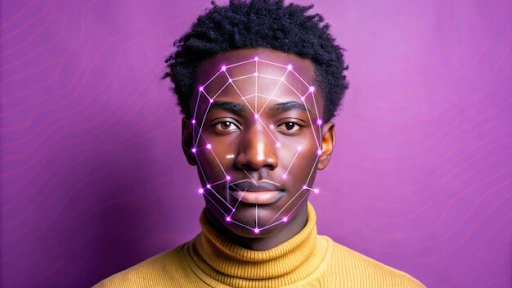
Face swapping has come a long way from novelty apps and funny filters. Today, AI face swap tools are powerful enough to create realistic video edits that are used in creative storytelling, professional content production, film editing, and social media marketing. With deep learning and computer vision advancements, modern video face swap tools can produce convincing results that were once reserved for Hollywood VFX teams.
For creators, marketers, and video enthusiasts, these tools offer new ways to enhance storytelling, repurpose existing footage, or produce engaging visuals without requiring complex editing software. In this article, we’ll explore the top AI face swap tools available today and how they help with real, realistic video editing.
Top AI Face Swap Tools for Video Editing
Here are some of the most powerful and accessible tools that support realistic face swapping in video content:
1. Invideo – Easy and Powerful Face Swap in One Place
Invideo offers an intuitive and efficient way to create AI face swap video content directly within its platform. This feature allows creators to take existing video clips and swap faces using AI, all without using separate apps or complex software. Invideo’s simplicity makes it ideal for content creators, brands, and social media marketers who want seamless results without a heavy learning curve.
What’s especially useful about invideo’s approach is that it integrates face swap capabilities into a broader video editing workflow. You can take your face‑swapped clip and immediately add text overlays, transitions, motion graphics, captions, and soundtracks — all inside the same editor.
Invideo’s interface makes it easy to upload your source video, select the face you want to replace, and let the AI generate a realistic replacement. The platform then allows you to refine the swap with simple editing tools so you can preview and enhance the output before publishing.
2. DeepFaceLab – The Classic Choice for Realistic Face Swaps
DeepFaceLab is one of the most established tech tools for realistic face swapping in videos. It’s widely used by creators and hobbyists who want detailed control over the face swap process. DeepFaceLab runs locally on your computer and uses deep learning models to extract, train, and replace faces with high levels of realism.
While it requires some technical setup and GPU resources, DeepFaceLab remains a favorite for those who want fine‑tuned results or plan to do extensive face swap editing. It gives creators more control over the training phases and blending, which can be especially valuable for complex scenes or detailed character swaps.
3. FaceSwap – Open Source and Flexible
FaceSwap is another open-source solution for face replacement in videos. It leverages AI to create effective swaps by processing video frames and training on the faces you want to replace. Like DeepFaceLab, it offers a deeper level of customization but comes with a steeper learning curve.
FaceSwap supports multiple model options and allows advanced users to tweak neural network settings for better output. This makes it suitable for creators who want custom control and are comfortable with installing and configuring AI models.
4. Reface – Quick and Fun AI Face Swap Tool
Reface is a user‑friendly app that allows you to swap faces in short video clips and GIFs using AI. It has become popular for quick and fun edits that can be shared across social platforms. While it may not match the depth and control of DeepFaceLab or invideo for professional editing, it is a strong option for quick, entertaining face swaps.
Reface makes it easy for beginners to generate surprising and amusing results with minimal effort, but it’s best suited for social content and playful clips rather than serious video editing tasks.
5. Zao – Viral AI Face Swap App
Zao is a mobile app that went viral for its realistic face swap capabilities. It allows users to insert their faces into famous movie scenes or popular video clips with impressive results. While it operates more as a consumer app than a professional editing tool, Zao showcases how powerful face swap AI has become on mobile devices.
6. Avatarify – Real‑Time Face Swap and Avatars
Avatarify is interesting for creators who want live face swap effects. It uses AI to map your face onto avatars or video feeds in real time, making it useful for livestreams or video calls. While not a traditional video editor, it is a powerful tool for real‑time face replacement and can be integrated into creative workflows where live visuals matter.
Why AI Face Swap Matters in Modern Video Editing
AI face swap technology isn’t just a gimmick anymore — it has practical applications across modern content creation:
Brand Storytelling and Marketing
Brands use face swap technology to create engaging clips that feature spokespersons, influencers, or brand mascots without needing a full production shoot.
Educational and Explainer Videos
AI face swap can be used to create diversified video content, such as putting a recognizable expert’s face on animated avatars or replacing generic narrators with more engaging figures.
Film and Entertainment
Face swap tools support visual effects, stunt doubling, and creative narrative edits, enabling filmmakers to explore concepts without costly reshoots.
Social Media and Engagement
On platforms like TikTok and Instagram Reels, face swap content naturally attracts attention and encourages shares, making it a powerful tool for audience growth.
How AI Face Swap Tools Affect Daily Content Workflows
As content expectations increase, creators are pressured to deliver more, faster. AI face swap tools help reduce bottlenecks in production and editing by replacing hours of manual work with automated processes that deliver faster outcomes.
Rather than manually cutting clips and masking elements frame by frame, AI‑based tools analyze facial features and seamlessly blend new faces in a way that matches movement, lighting, and expression. This dramatically cuts down editing time and makes sophisticated effects more accessible.
Best Practices for Realistic AI Face Swap Editing
While the tools themselves are powerful, achieving realistic results still depends on how you use them. Here are a few best practices:
Use High‑Quality Source Footage
The output quality depends heavily on your original video. Clear lighting, good resolution, and clean shots help the AI produce better swaps.
Choose Consistent Facial Angles
The closer your source and target faces are in angle and lighting, the more natural the swap looks.
Fine‑Tune with Post‑Processing Tools
After generating the swap, use editing tools to fix small artifacts, smooth edges, and ensure consistent color grading.
Test Multiple Models or Settings
In tools like DeepFaceLab or FaceSwap, trying different neural network models or configurations can produce more refined results.
Respect Ethical Boundaries
As with any powerful tool, ethical use is crucial. Always ensure you have the rights to the materials you are editing, and avoid creating misleading or harmful content.
Limitations and Considerations
AI face swap is improving rapidly, but it still has limitations:
- Sometimes, the AI can create unnatural artifacts in complex scenes.
- Significant motion or rapid head turns can reduce swap quality.
- Lighting mismatches between source and destination can affect realism.
- Some tools require strong hardware resources, especially for high‑resolution video.
Understanding these limitations ensures you choose the right tools for your project and set proper expectations.
The Future of AI Face Swap Video Editing
The rise of AI in video editing points to a future where visual effects that once required specialized training will become mainstream. Face swap technology is likely to become more precise, faster, and more integrated with other creative workflows.
As cloud computing and AI models continue to improve, creators may soon be able to edit full scenes, characters, and performances with conversational prompts or voice directions.
AI video apps that combine multiple AI features — like invideo with its built‑in face swap and broader video tools — showcase where content creation is headed: seamless, intuitive, and highly accessible.
Final Thoughts
AI face swap tools are no longer just novelty apps; they are powerful tools that expand what creators can do with video. From social media clips to professional marketing videos, these tools significantly lower the barrier to sophisticated editing.
Whether you are using invideo’s intuitive face swap features or exploring deeper control with tools like DeepFaceLab and FaceSwap, the capabilities available today offer exciting possibilities for video content creation. By choosing the right tool for your needs and following good editing practices, you can produce realistic, engaging, and polished face‑swap videos that capture attention and tell compelling stories.